BeerMenus
Online platform that helps beer lovers find places selling beers they want and gives bars, restaurants and beer stores tools to publish up-to-date beer menus.
About BeerMenus
What BeerMenus is
BeerMenus is a website and app for finding great beer. More than 7.3 million beer lovers use it to find places selling beers they love or want to try, and to browse up-to-date beer menus for bars, restaurants and beer stores. The platform currently lists 57,267 places, 454,592 beers and 56 events. Its stated purpose is to help people decide where to buy beer.
Tools for beer lovers
Visitors can search, browse a feed, explore places on a map, check events and specials, and open TV menus and one-click print menus. The service is available through the website and through apps for iPhone (App Store) and Android (Google Play). Beer lovers can sign up with a first name, email and password to create an account.
Tools for bars, restaurants and beer stores
Businesses that sell beer, wine or spirits to local drinkers can add their business or schedule a call with a BeerMenus expert, and can create a page for their bar, restaurant or beer store. Every business that sells beer always has access to a free basic page; the paid side of the service is built on subscriptions. The business tools include:
- Digital TV menus: turn any TV into a polished beer menu. Setup is one-time; after that the menu is updated on BeerMenus from a phone or computer and the TV menu updates automatically. They can display a full drink menu of beer, cider, wine and cocktails, customization is fully included, hardware costs $30, and industry-best support is included.
- Automatic print menus: one-click update on BeerMenus and push to print, complementing the TV menus with more in-depth beer information.
- Live drink menu on the business website: updating the menu on BeerMenus updates the website drink menu, customized to match the site.
- Social media integrations: automatic posts about new beers on Facebook and installation of a full beer menu on the Facebook page; automatic posting on Twitter.
- Customer support: weekend and evening availability, personalized troubleshooting by phone, email and chat.
Tools for breweries
BeerMenus also compares itself with Untappd for Business for this audience.
Press, sponsorship and contact
Press inquiries go to press@beermenus.com for beer trends and statistics, expert beer suggestions, or help finding a beer being written about. BeerMenus notes that it does not currently sell beer and recommends contacting the brewery for information on where to buy a beer.
History and independence
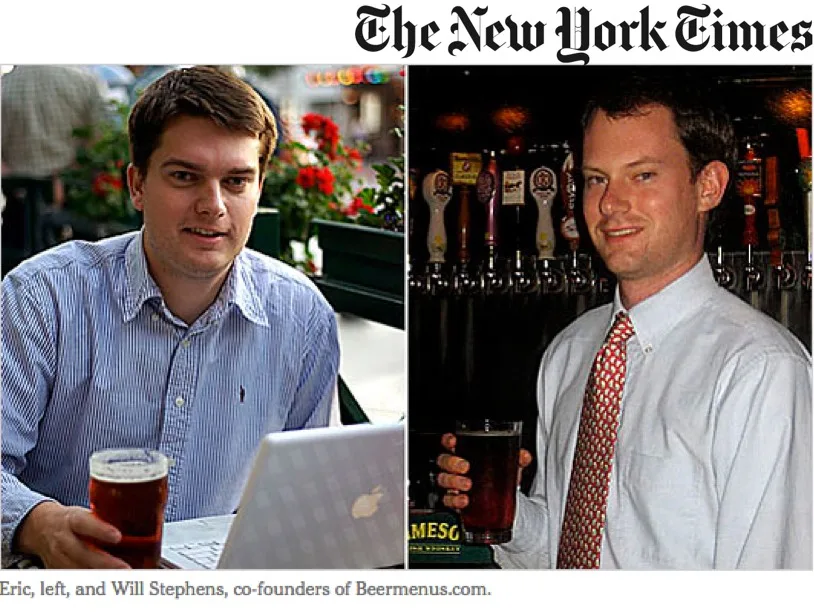
BeerMenus was started in 2008 out of the founders' own passion for great beer. The story begins in 1988, when Eric (seven) and Will (four) brewed their first batch of homebrew with their dad, Dwight. In the early 2000s, demand for great beer exceeded their supply of homebrew, and their gateway beers were Lancaster Hop Hog (Will) and Rogue Dead Guy (Eric). Around 2006-2007 they identified the problem: there was no good way to find the beers they wanted. In summer 2007 Eric and Will built the mockup the same night they got the idea for BeerMenus. The founding night came in 2008, when they brewed a clone of Stone's Arrogant Bastard and, unable to find the original through search engines, the Stone website, calls to favorite bars or even the New York City Stone rep, they bought the domain beermenus.com and got to work. BeerMenus launched in New York City in 2008 and was flooded with positive feedback, including requests to expand to other cities; early partners included Patrick from Rattle 'n' Hum and Bill at East Village Tavern. The company moved from experiment to business while choosing to remain independent and evergreen, with no acquisitions and no outside investors, growing through subscriptions that align its interests with those of its customers. It has always aimed to be inclusive and not pay-to-play, which is why all businesses that sell beer always have access to a free basic page.
Digital and print beer menus plus a craft beer directory
Photos
Select a photo to enlarge it.