I Love Meet and Greet
Airport parking operator offering meet-and-greet vehicle handover and other parking options at major UK airports.
About I Love Meet and Greet
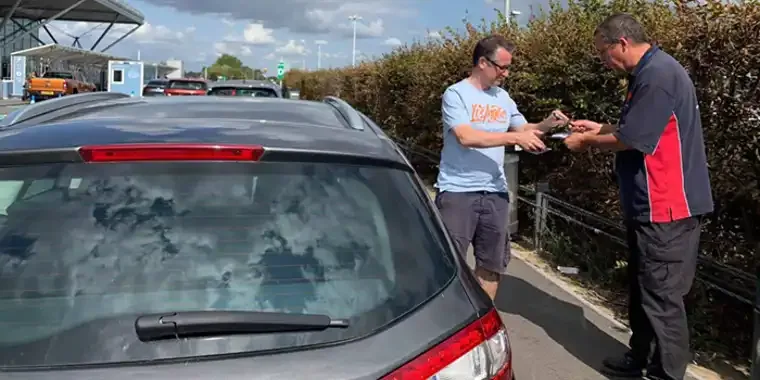
Hand over the car near the terminal, then head to check-in
I Love Meet and Greet arranges airport parking at Gatwick, Stansted, Heathrow, Birmingham and Manchester, with other locations listed in its airport navigation. Its main service is meet-and-greet parking: a driver meets the traveller at an agreed airport handover point, takes the vehicle to a parking site and returns it after the trip. The exact handover location belongs to the chosen airport and terminal, so there cannot be one useful Directions link for every booking.
The company also lists park-and-ride and park-and-deliver options. These are not interchangeable: park-and-ride involves leaving the car at a parking site and using a transfer, while a meet-and-greet booking brings the driver to the terminal-side meeting point. The traveller should read the selected service instructions, vehicle conditions and return procedure before departure, especially if the flight lands late or changes terminal.
Before leaving home
- Confirm airport, terminal, flight times and the car registration on the booking.
- Save the handover instructions and the number supplied with that airport-specific reservation.
- Allow time for the agreed meeting and any vehicle inspection or key handover.
- Check the terms for an early return, late arrival, amendment or cancellation.
Optional car cleaning is offered in connection with the parking service and should be agreed separately. The company states that its drivers are insured to drive customers' vehicles and describes long experience in airport parking; those claims do not replace reading the actual booking terms for the chosen location.
Booking changes and cancellation requests are handled through the customer-service email or the online account where direct-booking cancellation is available. Include the booking reference and vehicle registration so the team can find the reservation.
Photos
Select a photo to enlarge it.